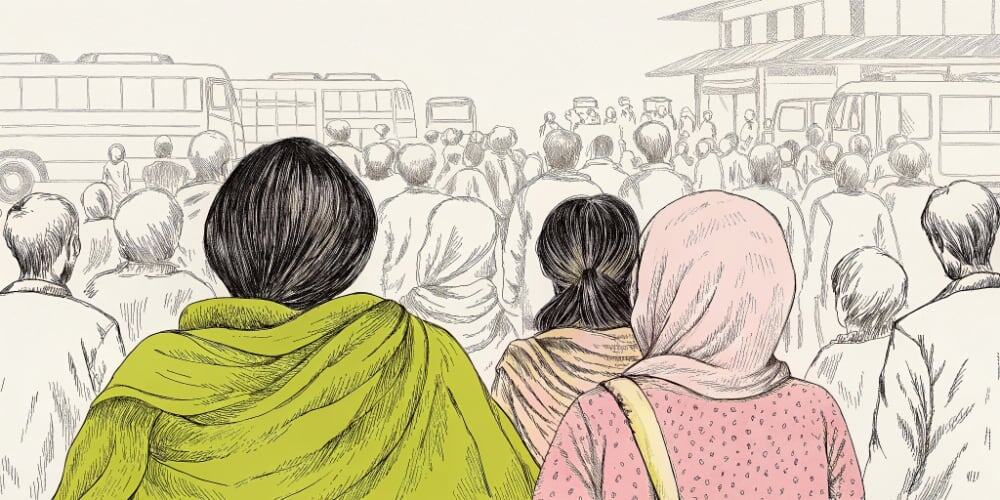
The final days of Pesach are about walking forward. Not escaping anymore – moving. Through the sea. Into the unknown.
So this is a story about control. About what happens when product design becomes fear-driven. And about why trying to manage every click, every user move, every pixel of behavior ends up hurting the people we’re supposed to help.
A client once insisted their login screen needed six mandatory fields before users could even see the product. Name, email, password, company name, job title, and phone number.
I said: “That’s a job application, not a signup form.”
They said: “We need the data to qualify leads.”
I said: “You need users first. Nobody’s filling this out.”
They added a seventh field: “How did you hear about us?”
Launch day: 3% of visitors completed signup. The other 97% saw that form and left.
That’s Pharaoh energy. “Stay here. Work harder. Give us everything before we give you anything. Don’t ask questions.”
The Pharaoh Problem in Product Design (When Control Becomes Dark Patterns)
Pharaoh’s core fear? Loss of control. That people might act freely. That things might change.
You see this in UX design principles that prioritize control over empowerment:
Onboarding you can’t skip Ten screens before you see value. Unskippable tours. Mandatory tutorials. Empty states that demand data before explaining what the product does.
Interfaces that require everything upfront LinkedIn makes you fill out your entire profile before you can see how the platform works. Grammarly wants browser permissions before showing you what it can do. Slack demands workspace creation before you understand if it’s right for your team.
Products that lock data inside Export feature locked behind Enterprise tier. CSV downloads “coming soon” for 18 months. Your users feel trapped.
Cancel flows designed to shame you “Are you sure you want to lose all your progress?” “Your team will miss you.” “Downgrading means you’ll lose access to [15 features you never used].”
There’s a pattern here. It’s the same logic behind every dark pattern in UX design: “If we let people decide for themselves, we’ll lose them.”
But you don’t lose users by giving them freedom. You lose them by making them feel cornered.
Signs You’re Designing Like a Control Freak (Not a Leader)
I’ve seen Pharaoh-style UX design principles in project kickoffs, product audits, and client work I’ve rejected:
Sign 1: Your onboarding is longer than most people’s attention span
If it takes more than 2 minutes to see value, you’re testing patience, not improving adoption.
Real example: A SaaS product I audited had 14-screen onboarding. Users who completed it had 80% activation. Users who skipped it? 65% activation.
Translation: The onboarding was costing them 15% of potential active users who bounced before finishing it.
Sign 2: You punish exploration
Users who click around get error messages. Users who skip steps get locked out of features. Users who try something unconventional hit dead ends.
Good UX leadership rewards curiosity. Pharaoh UX punishes deviation from The Path™.
Sign 3: You lock users into choices before they understand them
“Choose your workspace type: Team, Enterprise, or Solo.” Cool, what’s the difference? What happens if I pick wrong? Can I change it later?
Silence. Just three buttons and a loading spinner.
Sign 4: Users can’t leave without writing an apology
The cancel flow requires explaining why. The downgrade flow requires choosing from pre-written reasons that all sound guilty. The export-data button doesn’t exist.
This isn’t retention. This is hostage negotiation.
What Happens When You Try to Control Every User Action
Short answer: resentment.
Long answer: I once built an onboarding flow with nine mandatory steps. Client wanted comprehensive data collection. I wanted to ship and iterate later.
We compromised: nine mandatory steps.
Launch metrics:
- 48% started onboarding
- 12% completed it
- 3% became active users
The client blamed the product. The sales team blamed the pricing. I blamed the nine mandatory steps nobody asked for.
We cut it to three optional steps. Activation jumped to 41%.
Turns out when you stop treating UX design like a control mechanism, people actually use your product.
The False Promise of Control
You hide the cancel button. You bury the “no thanks.” You add extra clicks, extra copy, and politeness theater that makes users doubt every life choice that led them here.
They stay. Technically.
But they’re not loyal. They’re not happy. They’re not advocates. They’re captives. And captives don’t convert. They escape the first chance they get – usually to your competitor who respects their time.
UX Design Principles That Empower Users (Not Trap Them)
When the sea splits, let people walk. The sea didn’t split so the Israelites could wait for permission. It split because they moved forward.
Here are UX design principles that trust users instead of trapping them:
1. Let them explore before committing
Figma lets you start designing immediately. No account required until you want to save. That’s confidence. That’s “try before you trust us with your email.”
Contrast: Tools that make you sign up before seeing anything. That’s fear.
2. Provide clear explanations without forcing next steps
“Here’s what this feature does. Want to try it? Cool. Not interested? Also cool, here’s how to hide this.”
Not: “Complete this tutorial or you can’t use the product.”
3. Allow experimentation, drafts, and reversibility
Gmail’s “Undo Send” is brilliant UX leadership. It says: “We know you might change your mind. Here’s 10 seconds to fix it.”
Compare that to platforms where clicking “Delete” immediately nukes everything with no confirmation, no undo, no grace period.
4. Make exits visible and shame-free
The most powerful thing a product can do? Make cancellation easy. One confirmation screen. Clear language. No guilt trips.
Users don’t need a divine roadmap. They need to feel safe taking a step.
How to Lead Users Without Micromanaging Their Journey
Moses didn’t build the sea path. He facilitated movement. He didn’t control the journey. He guided it.
That’s what great product design leadership looks like:
Removes fear “Want to try before signing up? Here’s a demo account.” “Made a mistake? Here’s undo.” “Not sure what this does? Here’s a 20-second explanation.”
Holds space for hesitation Empty states that teach instead of demand. Save buttons that say “Save draft” not “Publish now.” Options to skip, postpone, or revisit later.
Makes complexity navigable Good defaults that make sense. Clear labels that don’t require a glossary. Progressive disclosure that reveals features when relevant, not all at once.
Assumes people will surprise you Users do weird things. They skip steps. They use features you didn’t expect. They find workflows you didn’t design.
That’s not a bug. That’s humans being creative. Design for that.
The Self-Diagnostic: Are You Building Products That Respect User Agency?
Take a breath. Be honest. Answer these:
- Is your onboarding longer than 2 minutes?
- Do you reward exploration, or punish deviation from The Path™?
- Does your UI lock users into choices before they understand what they’re choosing?
- Can someone cancel without writing you an apology?
- Are critical features hidden behind paywalls or “coming soon” promises?
- Do you respect user time, or optimize for engagement metrics?
If any of that sounds familiar, you’re not alone. Designing like Pharaoh is tempting – especially when stakeholders are anxious, metrics are down, and churn keeps you up at night.
But Pharaoh-style control doesn’t stop churn. It causes resentment. And resentment is worse than bounce. It’s bounce with a blog post.
This Pesach, while we talk about freedom, let’s also talk about fear. Specifically: the fear that makes us tighten every part of the flow, lock every gate, and optimize until there’s no oxygen left.
Pharaoh built pyramids. Moses built movement.
You get to choose which kind of designer you want to be.