I launched a new dashboard tab. No bugs filed. No complaints. No support tickets. My team celebrated: “Clean launch!”
Three weeks later: 23% churn rate. The feature nobody complained about was the feature nobody used. They didn’t rage-quit. They just drifted away.
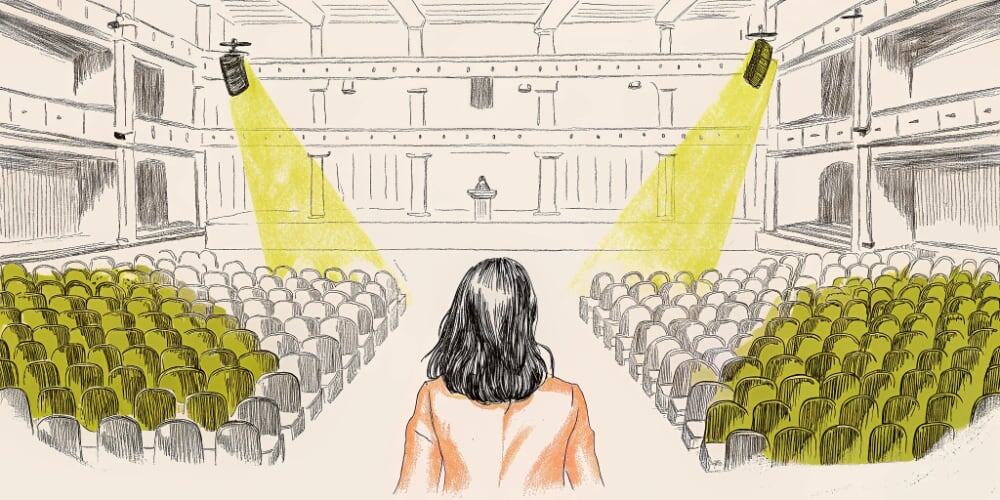
Silent churn is the worst kind of failure. It doesn’t show up in your bug tracker. It doesn’t trigger alerts. Your user engagement metrics look fine until you dig deeper and realize half your users are ghosts.
No feedback isn’t good feedback. It’s usually resignation wearing a polite smile.
This is about the signal inside that silence – and how to catch silent churn before it kills your product.
Why No User Feedback Is Actually the Worst Feedback You’ll Get
Silence isn’t neutral. It’s not “no problems.” It’s often:
They didn’t get far enough to care
Users who bounce after 30 seconds don’t file tickets. They don’t have opinions yet. They just close the tab.
They didn’t find the value
Feature adoption metrics show the feature exists. They don’t show if anyone understood why it matters.
They forgot you existed
No second session. No return visit. No email opened. Just quiet churn metrics that don’t trigger any alarms.
Real users only complain when they think the product is worth fixing. They only leave feedback when they believe someone might respond.
Silence is resignation. It’s people saying: “It didn’t break. It just didn’t matter.”
I learned this the hard way:
A client wanted a “Team Activity” dashboard. We designed it. It looked great. The UX design was clean. The feature shipped.
Week 1: Zero support tickets. Great! Week 2: Still nothing. Even better! Week 3: Noticed 23% of accounts that saw the feature never came back.
Not because the feature was broken. Because it was invisible. They opened it once, didn’t understand what they were looking at, closed it, never returned.
No feedback. No complaints. Just silent churn that cost us 23% of potential active users.
What Silent Churn Really Looks Like (And Why It’s Invisible in Your Metrics)
Traditional user engagement metrics track activity. But they don’t track motivation.
What silent churn looks like in data:
- Session count: Normal ✓
- Session duration: Normal ✓
- Feature clicks: Low (but no error logs)
- Return rate: Dropping (but no exit surveys)
- Support tickets: Zero ✓
- Actual engagement: Dead
Everything looks fine until you compare cohorts. Users who saw Feature X have 15% lower retention than users who didn’t. But no one complained, so it’s invisible.
Real examples I’ve tracked:
The onboarding nobody finished:
- 3-step flow, beautifully designed
- 47% dropped at step 2
- Zero feedback collected
- Reason: Step 2 asked for data users didn’t have yet
- Empty state gave no guidance
The feature nobody found:
- Hidden in navigation three clicks deep
- 8% discovery rate
- Of those who found it: 2% used it twice
- No complaints – because users assumed it didn’t exist
The settings page nobody needed:
- 12 toggles for advanced configuration
- 91% of users never touched it
- 4% who did touch it got confused and left
- No support tickets – just silent feature adoption failure
This is what broken user engagement metrics look like. Everything appears functional. Nothing appears urgent. Silent churn accumulates.
User Engagement Metrics That Actually Reveal Silent Churn
Standard dashboards won’t catch this. You need to track momentum, not just activity.
Metrics that reveal silent churn:
1. Second session rate
What percentage of users who complete onboarding come back within 7 days?
If it’s under 40%, your product didn’t stick. They’re not complaining – they’re ghosting.
2. Feature stickiness (DAU/MAU ratio)
Daily Active Users / Monthly Active Users. If it’s under 20%, users are checking in but not staying. Silent churn warning.
3. Time-to-value tracking
How long until users hit their first “aha” moment? If 60% never hit it, that’s not a feature adoption problem – it’s a value communication problem.
4. Ghost user segments
Users who logged in, clicked around, did nothing meaningful, never returned. Track this cohort specifically. What did they see that made them leave?
5. Feature abandonment patterns
Track where users stop mid-flow. Not “where they clicked error” but “where they just stopped clicking.” That’s resignation.
Tools I actually use:
- Mixpanel for event tracking and cohort analysis (reveals silent churn patterns)
- Hotjar/FullStory for session replays (shows confusion, not just clicks)
- Amplitude for retention cohorts (compares feature exposure to retention)
- PostHog for feature flags and A/B testing (catch problems before full launch)
Standard Google Analytics won’t show you silent churn. You need product engagement metrics that track behavior, not pageviews.
Real Example: I Launched a Feature to Zero Complaints (23% Churn Rate)
Back to that Team Activity dashboard disaster.
What I shipped: Beautiful dashboard showing team member activity. Real-time updates. Clean design. Zero technical issues.
The launch:
- Week 1: 0 bug reports
- Week 2: 0 support tickets
- Week 3: Celebrated “smooth launch”
The reality:
- 47% of users opened it once, never again
- 23% of those users churned within 30 days (vs 12% baseline)
- 8% actually used it regularly
What I missed:
The dashboard showed activity but didn’t explain why it mattered. Users saw:
- “Sarah edited 3 files”
- “Mike commented twice”
- “Alex viewed 12 items”
Cool. So what? What action should they take? Why should they care?
No guidance. No context. No user engagement hook. Just data vomit.
The fix:
Added contextual prompts:
- “Sarah’s been working on the pricing page – want to review?”
- “Mike left feedback on your wireframes – respond?”
- “Alex hasn’t logged in this week – follow up?”
Feature adoption jumped from 8% to 34%. Return rate improved from 53% to 81%.
Same data. Different framing. Actually useful instead of just present.
The silence wasn’t “everything’s fine.” It was “I don’t know why this exists.”
How to Investigate When Users Ghost Your Product (Tools and Tactics)
When you see silent churn, don’t assume. Investigate.
1. Session replay reviews (30 minutes)
Watch 10 sessions where users dropped off. No script. Just observe:
- Where did they pause?
- What did they click twice?
- Where did they stop scrolling?
Use Hotjar or FullStory. Watch in 2x speed. Look for confusion patterns.
2. Cohort comparison (15 minutes)
Compare users who engaged vs. users who ghosted. What did they see differently? Which feature exposure correlates with churn?
Mixpanel or Amplitude make this easy. Look for negative correlation between feature usage and retention.
3. Exit intent surveys (if you must)
When someone closes the tab, ask one question: “What were you trying to do?”
Not “Why are you leaving?” (guilt trip). Just understand intent.
FullStory or Hotjar can trigger these. Keep it one question, optional, non-blocking.
4. Second-chance flows (tactical)
If someone opens a feature and bounces within 60 seconds, trigger a gentle prompt next session:
“Not sure what [Feature] does? Here’s a 20-second overview.”
Not politeness theater. Just clarity.
5. Internal “silent feature” audit
Ask your team: “What feature works fine but nobody uses?”
Track it. If feature adoption is under 15%, either fix it or kill it. Don’t let features hide just because they’re not breaking.
How to Design Products That Prevent Silent Churn Before It Starts
The best way to fix silent churn? Don’t create it.
Design for momentum, not just function:
1. Make value immediate
Don’t make users set up 5 things before seeing benefit. Show value first. Configuration second.
2. Guide without micromanaging
Empty states matter. Every blank screen should answer: “What do I do next?” and “Why does this matter?”
3. Track engagement intent, not just clicks
Did they accomplish something? Or just click around confused?
4. Build feedback loops into the product
Not surveys. Natural prompts: “Was this helpful?” with two buttons. Track both responses.
5. Monitor feature adoption as aggressively as bugs
If a feature ships and 70% of users never try it, that’s a launch failure. Treat it like one.
6. Default to showing progress
Users need to feel movement. Loading states, progress indicators, confirmation feedback – these aren’t polish, they’re retention mechanics.
Silence needs to be on your roadmap. Treat it as a failure state. Make it visible in retros.
Ask your team: “What part of our product design is working fine – but nobody uses?”
It’s not about blame. It’s about fixing the product so it earns attention again.
Feedback is easy to spot when it’s loud. But the real work is listening to the quiet:
- The bounce
- The ignored feature
- The users who signed up, poked around, and disappeared without a trace
They told you something. You just weren’t listening.
Next time your launch gets no comments, no pushback, no praise – don’t celebrate. Investigate.
Because user engagement metrics that look fine might be hiding silent churn that’s killing your product.